Recruitment and HR · Bakery and café · Poland (Gdańsk)

A dozen or more hours less work for the manager and head chef (about 2 working days) – and a working time report in a second

Custom time and attendance system by Coblit: PIN kiosk, rotas, leave and overtime for 30 staff at Mimosa – a dozen or more hours saved, a report in a second.

Mimosa — a Coblit project
30
employees in the time and attendance system
a dozen or more hours
less work for the manager and head chef (about 2 working days)
a second
to produce the working time report

About the project

Mimosa

We built Mimosa a custom time and attendance system: staff clock in on a tablet at the location with a PIN code, rotas and availability live in one system, and the working time report is generated automatically.

The outcome at a glance

  • 30 people use the time and attendance system
  • A dozen or more hours less work (about 2 working days) for the manager and head chef
  • Working time report in a second instead of counting at the end of the month
  • Clock-ins only on a registered device, corrections only by the manager

Project journey

From challenge to success

Problem

The manager and head chef built the rotas and tallied the hours of the bakery and café's 30 employees by hand – in spreadsheets, conversations and notes.

  • Rota drawn up by hand every month
  • Staff availability gathered through conversations and messages
  • Working hours and breaks counted at the end of the month
  • Overtime, leave and sick leave settled separately
Cost of the problem

Manual rotas and hour tallying cost the manager and head chef a dozen or more hours of work – time that should go to the team and production.

  • A dozen or more hours of the manager's and head chef's work – about 2 working days
  • Risk of errors in hours and pay
  • No up-to-date view of who is at work

Solution

We built Mimosa a custom time and attendance system: staff clock in on a tablet at the location with a PIN code, rotas and availability live in one system, and the working time report is generated automatically.

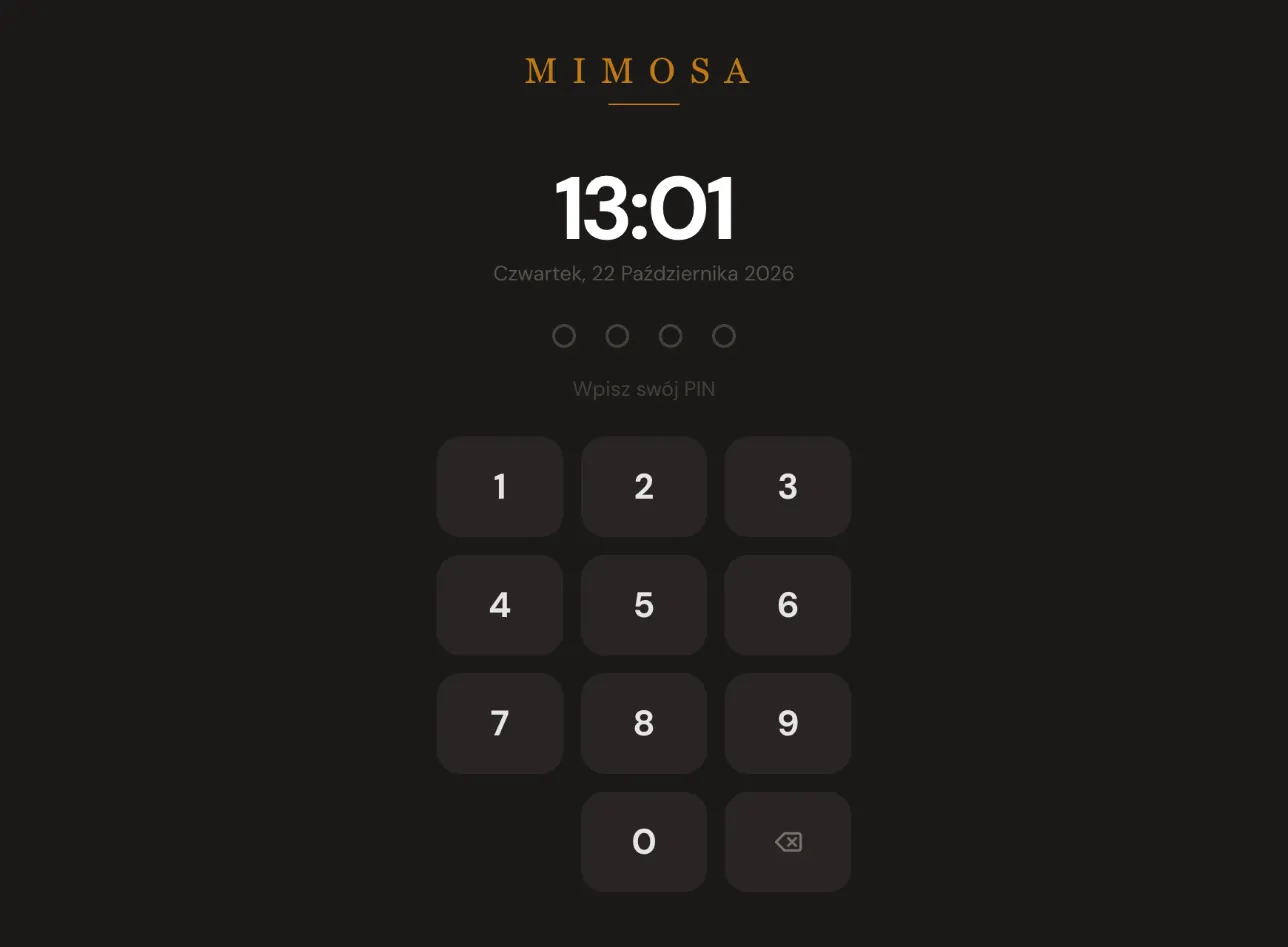
  • Time clock kiosk on a tablet at the location – clock-in with a PIN code
  • Start of work, breaks and end of work recorded to the exact time
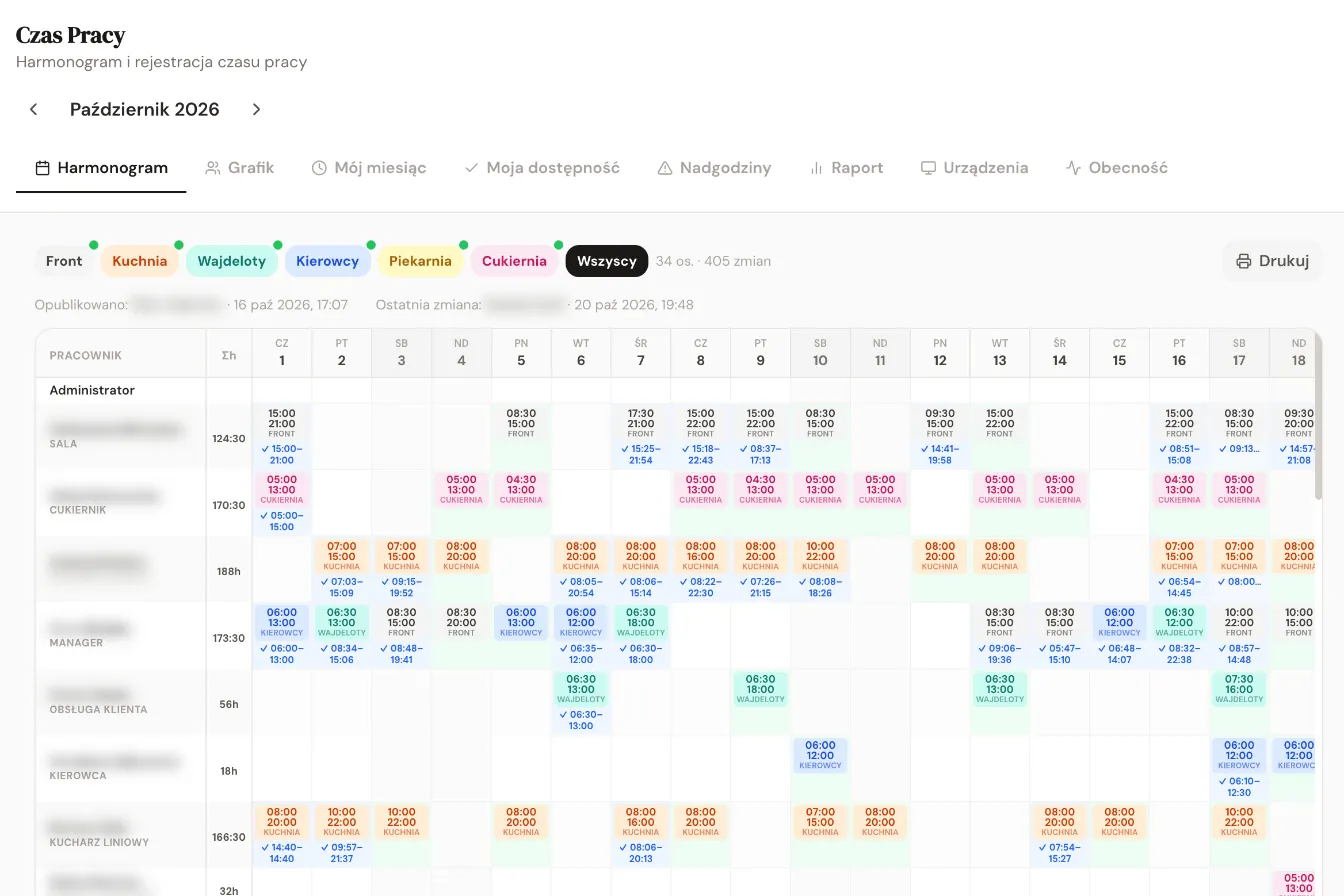
  • Monthly rotas for locations and departments, published by the manager
  • Staff see their shifts and submit their availability
  • Overtime requests approved by the manager
  • Annual leave and sick leave in the system
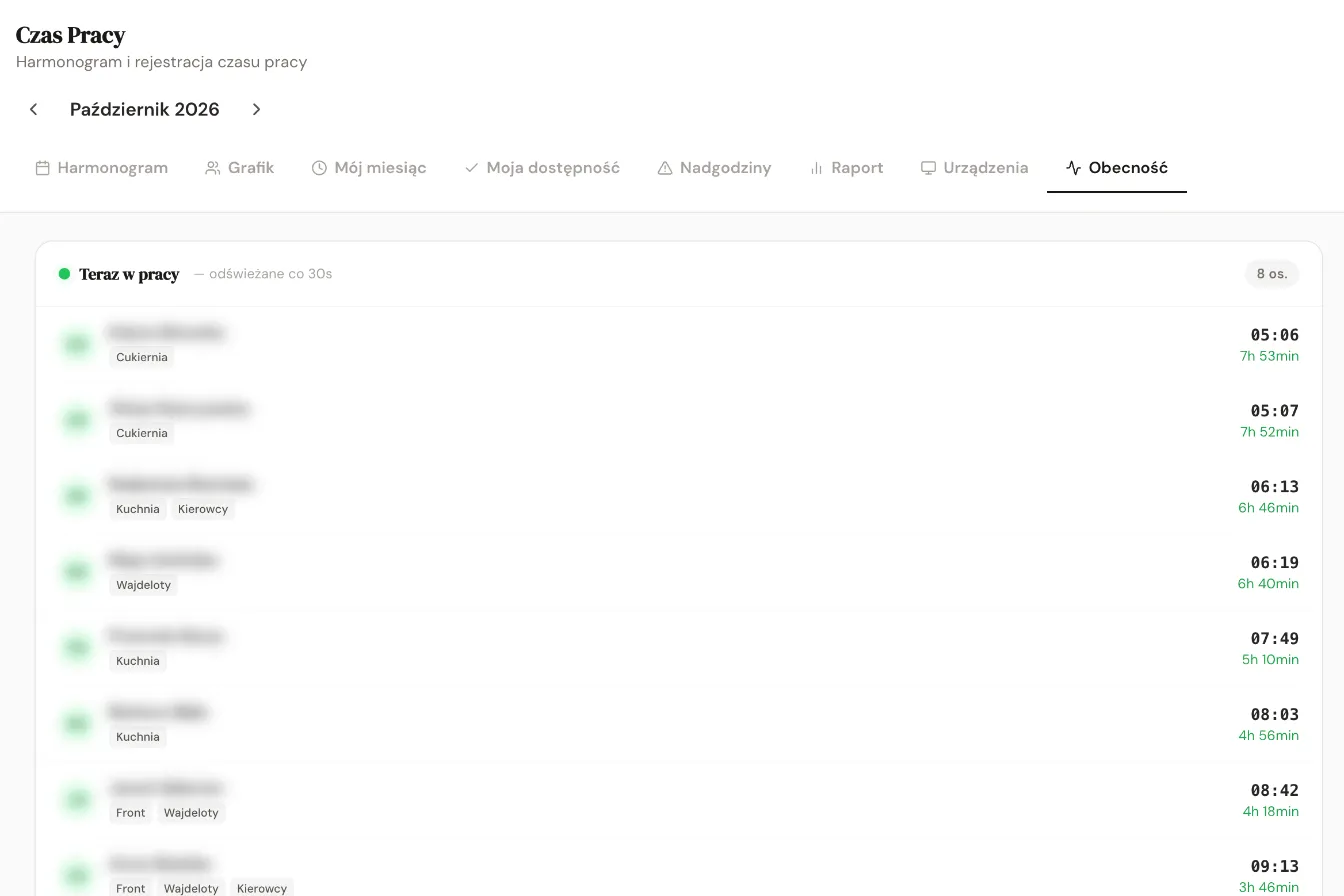
  • Live view of who is at work, and absences against the rota
  • Monthly report per location with export (e.g. to Excel)

Business results

The rota, time records and working time report run in one system – the manager and head chef have won back a dozen or more hours of work (about 2 working days), and the monthly report is ready in a second.

  • 30 people use the time and attendance system
  • A dozen or more hours less work (about 2 working days) for the manager and head chef
  • Working time report in a second instead of counting at the end of the month
  • Clock-ins only on a registered device, corrections only by the manager

Who it’s for

Who this kind of solution helps most

We see similar challenges in many companies. If you recognise yourself in this list, this project shows what we can do for you too.

  • Bakeries, patisseries and cafés
  • Restaurants and restaurant chains
  • Businesses with shift work
  • Businesses with several locations
  • Shops and service outlets
  • Temporary employment agencies

Why it works

5 reasons why this solution works

I want a similar solution
  1. Clocking in on site – a kiosk on a registered tablet at the location and a PIN code mean hours are recorded where the work happens.

  2. Rota and time records in one place – the system immediately compares attendance with the rota and shows absences.

  3. Fewer conversations about the rota – staff see their own shifts and submit their availability in the system.

  4. Control over corrections – overtime requires approval, and only the manager can correct hours.

  5. A report without counting – the monthly summary for each location is generated automatically and can be passed on to HR or an HR system.

How we ran the project

From analysis to ongoing development — one partner at every stage

This is how we worked together on the Mimosa project: from understanding the processes, through wireframes and architecture, to rollout and further development.

  1. Analysis and workshops with the client’s team

    We talk to the people who will use the system. We map out how processes work today, where time and money are being lost, and how they should work a year from now, once the company has grown.

    In this project
    • Together with the manager and head chef, we walked through building the rota, collecting availability and tallying hours
    What you gain

    We build what solves a real problem — not a list of features nobody will use.

  2. UX/UI mock-ups and prototype

    We design screens and user journeys in Figma and test a clickable prototype with future users before the first line of code is written.

    In this project
    • We designed a kiosk with a large PIN keypad for quick clock-in at the entrance
    What you gain

    You see and test the solution at the outset — changes to a mock-up cost a fraction of changes to a finished system. You can order the analysis and mock-ups as a separate stage.

  3. Technology selection and architecture

    We choose technologies to match the goal, the budget and the systems already running in the company. We design the architecture, integrations and data security so that the system can grow together with the business.

    In this project
    • The kiosk works only on devices registered for the location
    Technologies in this project
    • React
    • Node.js
    • PostgreSQL
    • Admin panel
    What you gain

    No costly rework a year later — the system is ready for more users, more data and new features.

  4. Building in stages

    We work in short stages and show a working version every few weeks. We launch the features that deliver the biggest savings first.

    In this project
    • Rotas for locations and departments published by the manager, rota import from Excel
    • Staff availability, overtime with approval, annual leave and sick leave
    • Live view, history and monthly report
    What you gain

    You have constant visibility of progress, a say in the direction and see the first results sooner.

  5. Testing, deployment and training

    We test the system, migrate the data, launch it in the production environment and train the team in day-to-day use.

    In this project
    • Launch at Mimosa's locations for 30 employees
    What you gain

    A smooth start without downtime — from day one the team knows how to work in the new system.

  6. Support and development after launch (SLA)

    After launch we monitor operation, respond to tickets under the SLA and extend the system with further features and automations.

    In this project
    • The system can be connected to any HR system
    What you gain

    One partner from idea to ongoing development — you are never left alone with the system.

How we work with every client   Technologies we build with

Ready for your own success story?

Let’s build your project together

Facing a challenge similar to Mimosa? We’ll show you how quickly you can go from idea to a working solution.

Book a short call
Book a 30-min call